Finally understand
where your money goes.
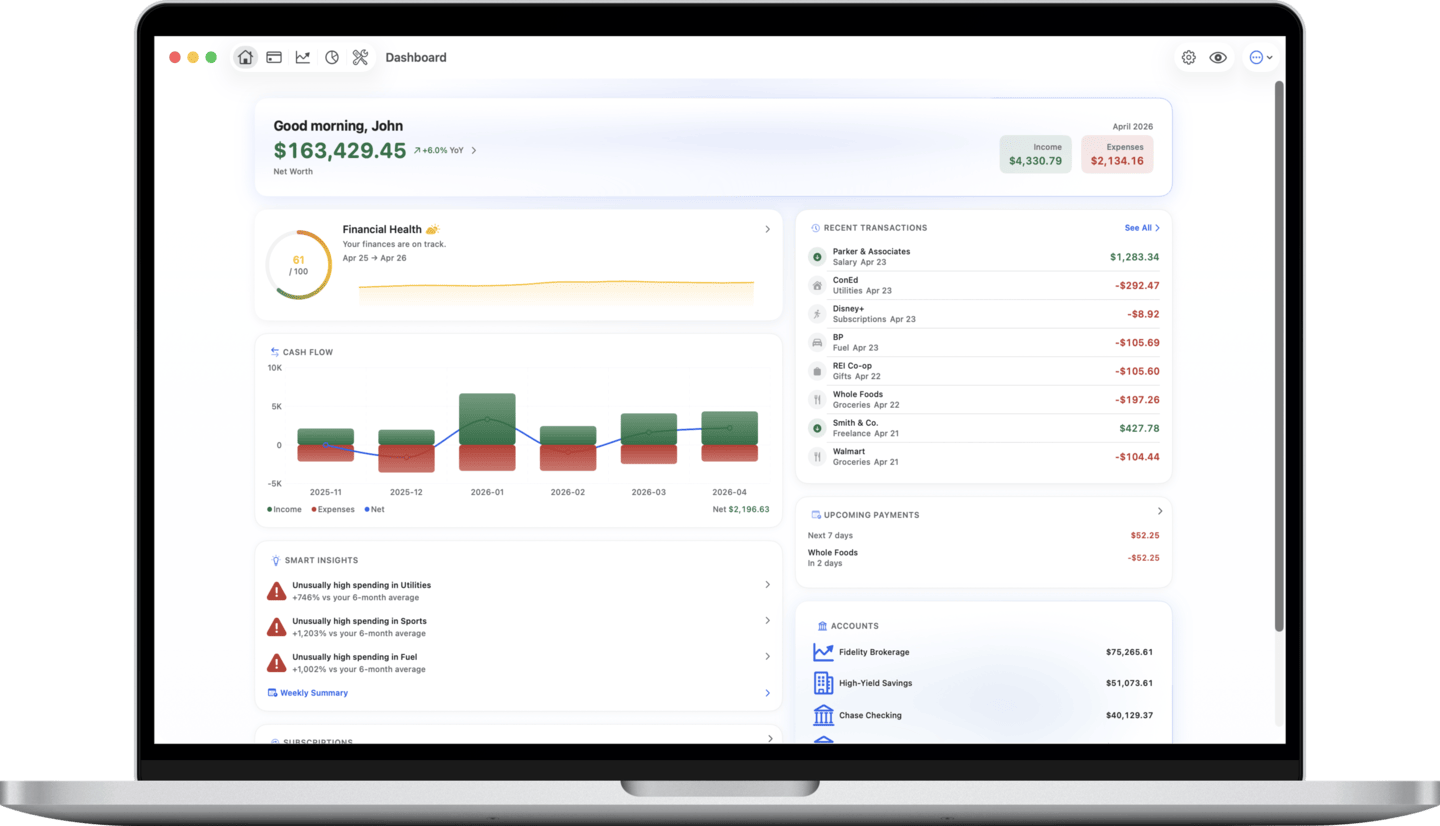
Track spending, manage budgets, and stay on top of your finances — natively built for iPhone, iPad, and Mac.
Everything you need to manage
your personal finances
A comprehensive, native Apple experience for managing your personal finances.
Multi-Account Management
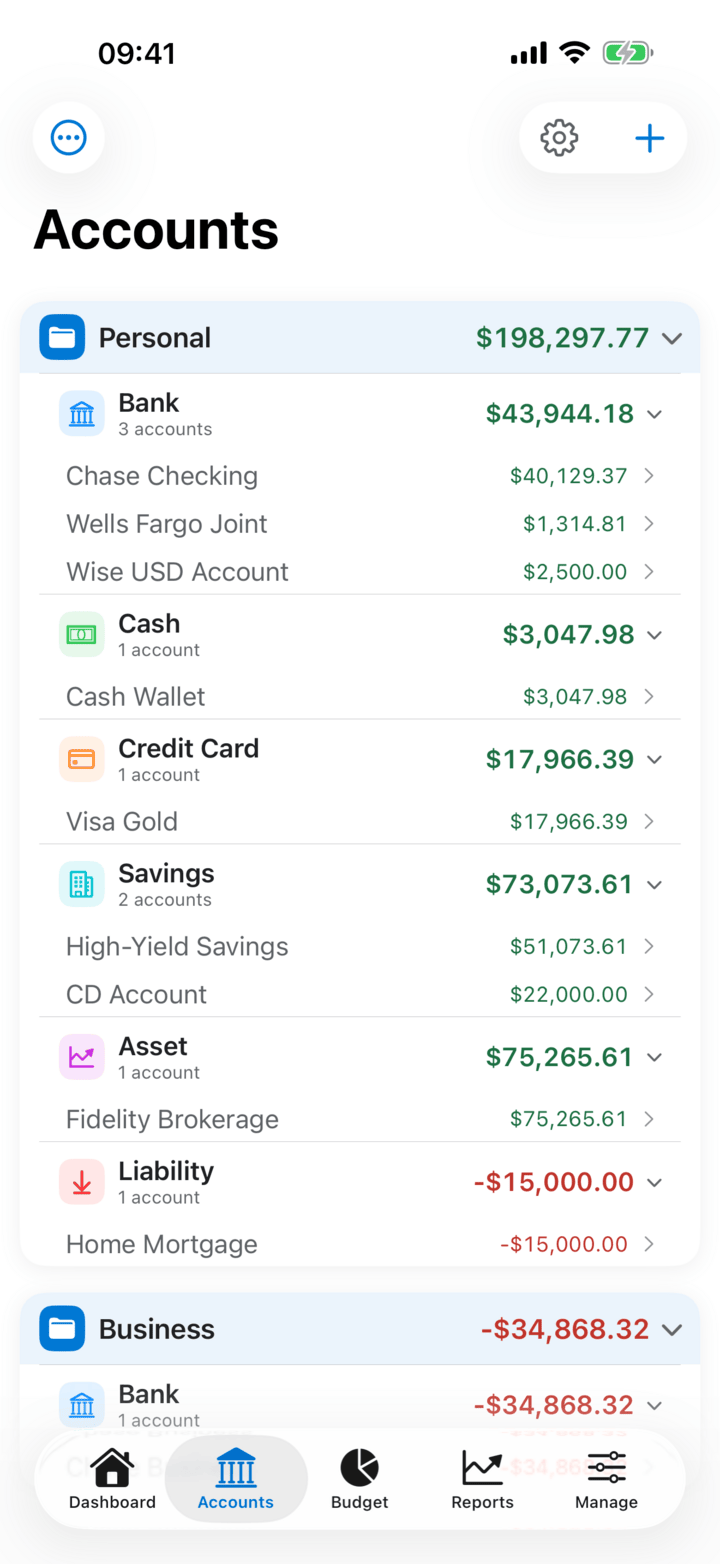
Bank accounts, cash, credit cards, assets, and liabilities — all in one place with account grouping and real-time balances.
Envelopes & Budgets
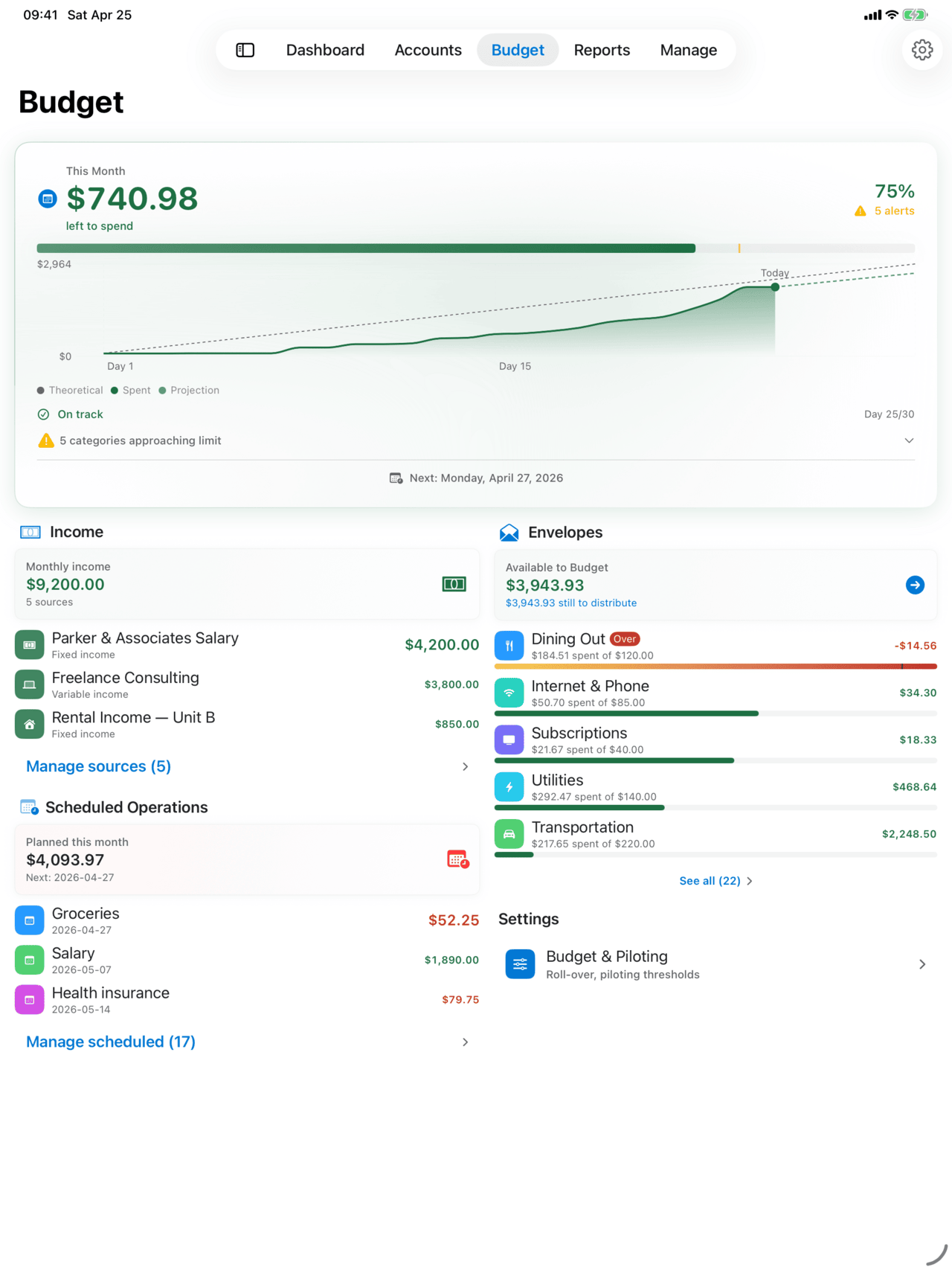
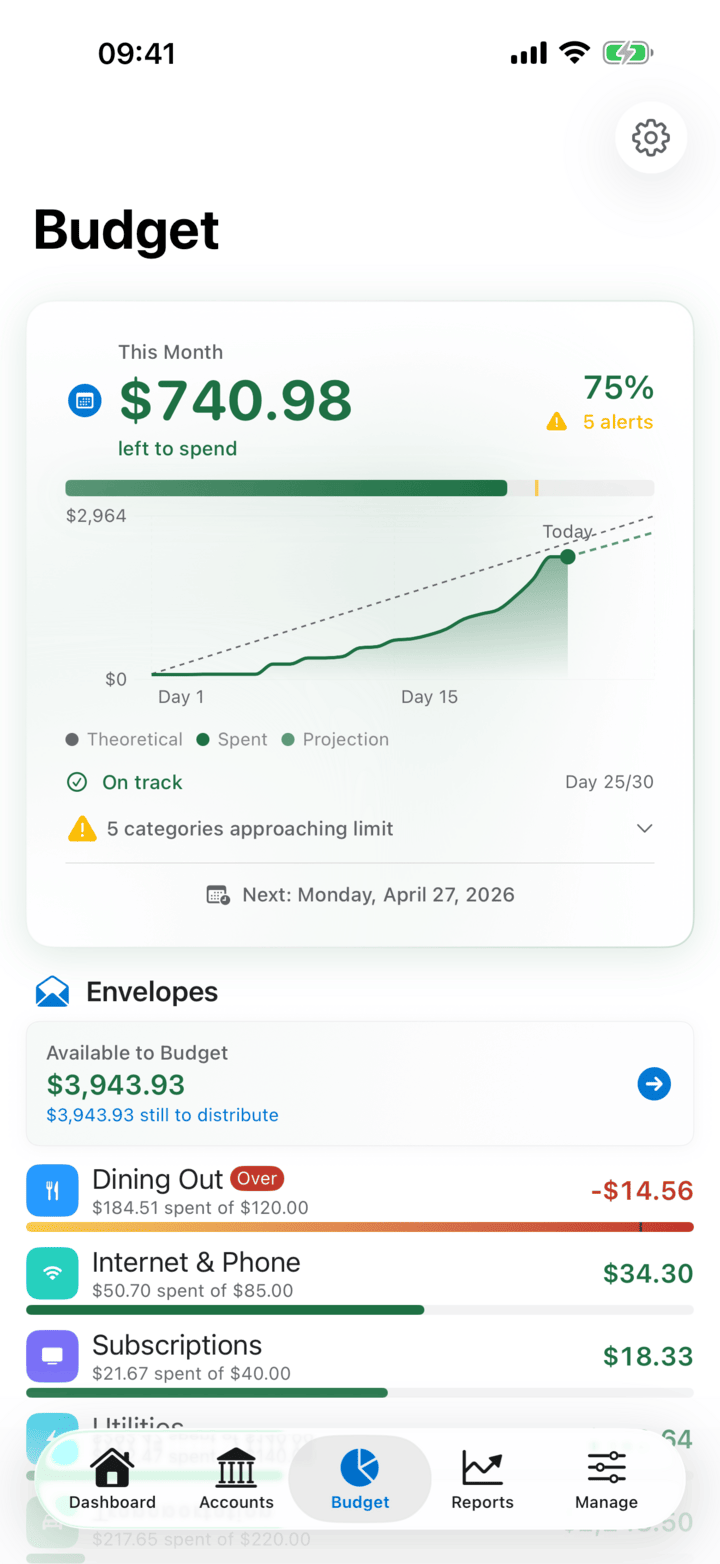
Set up your envelopes for free — monthly amounts, seasonality, savings goals and this month's remaining. Premium adds live pace, over-budget alerts, rollover carry-over and smart auto-allocation.
Reports & Health Score
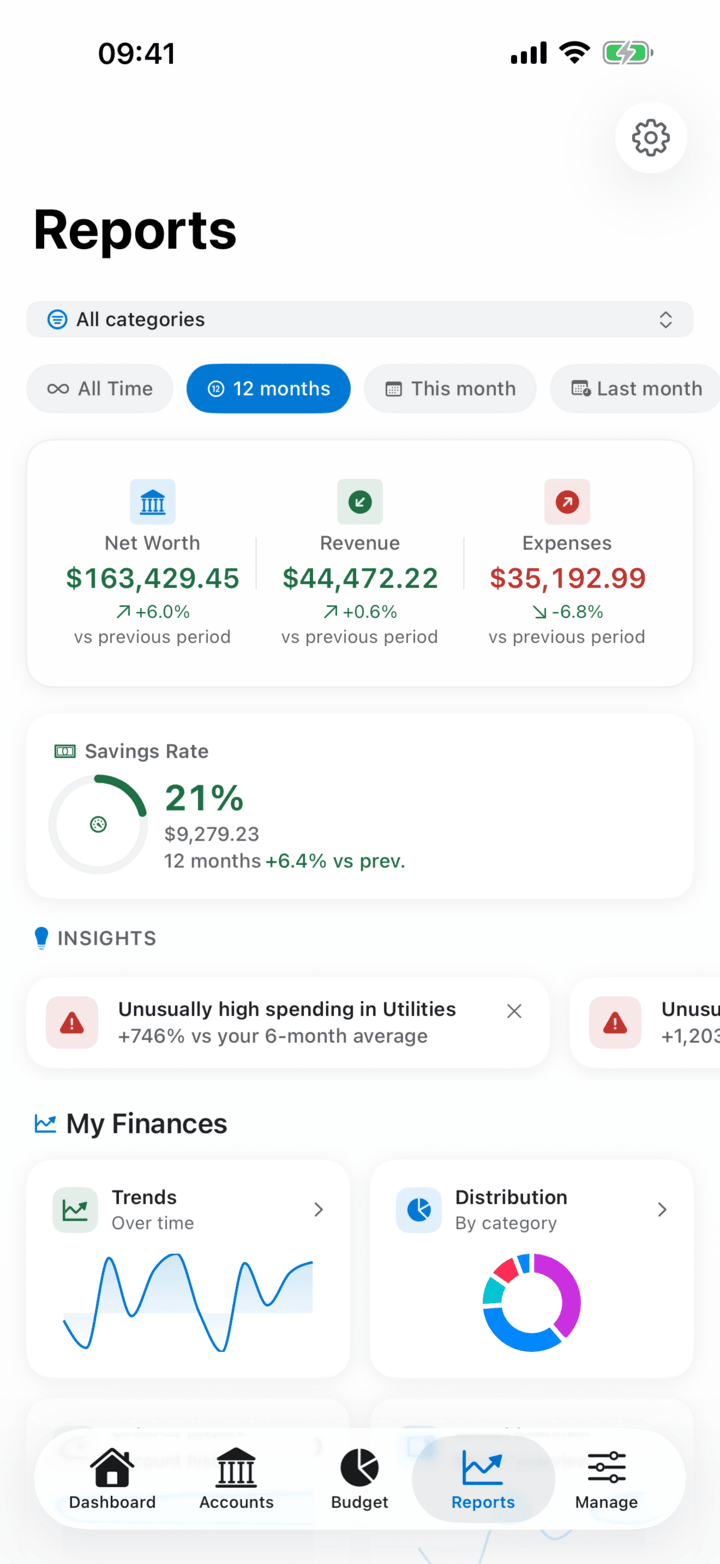
See your financial health at a glance with a clear score and spending breakdowns — free in every tier. Advanced analysis (annual, loan, cashflow projection, PDF export) is part of Premium.
Carbon Footprint
See the CO₂ impact of your spending. 32 countries supported, sustainability profile per account, monthly trend vs the national average. Free, beta.
Smart Import & Export
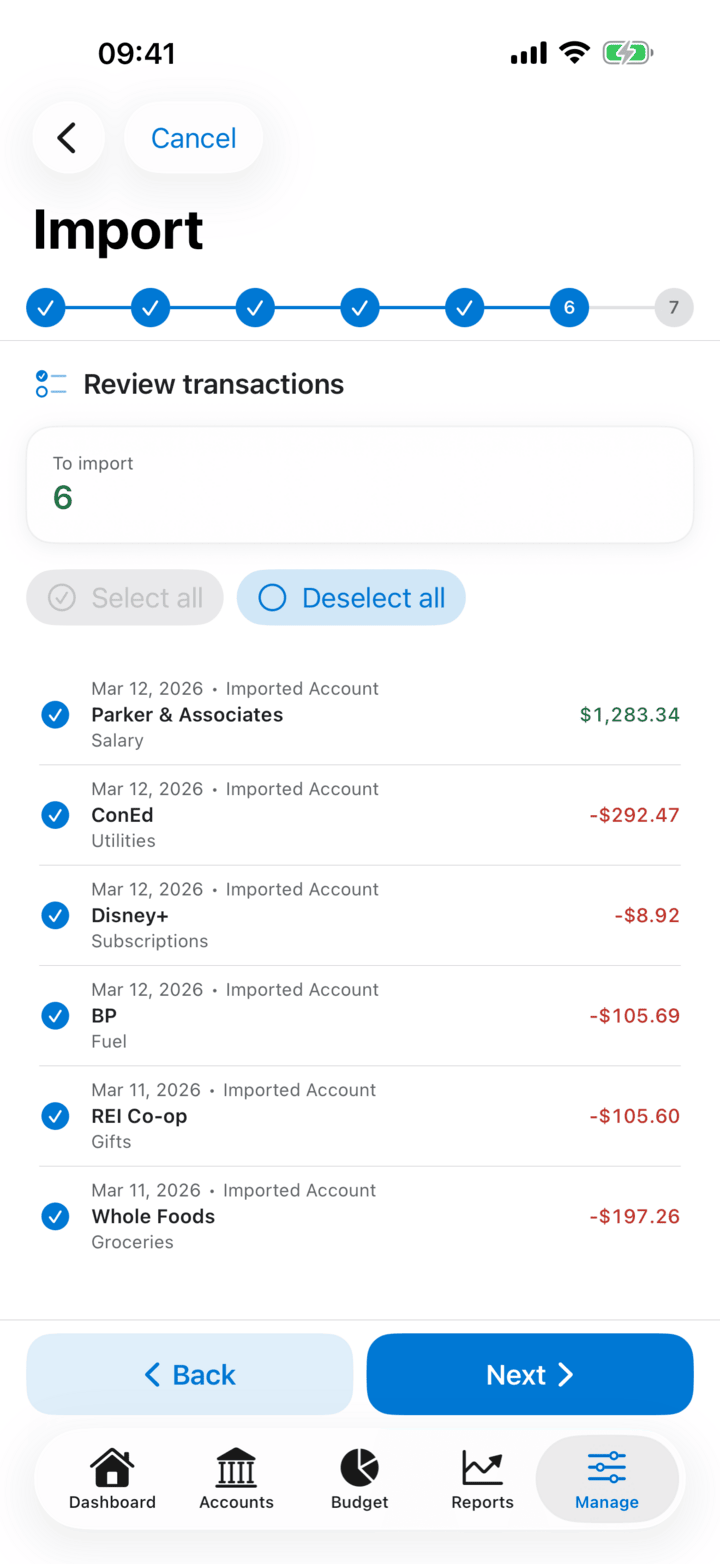
Import QIF, OFX/QFX, CSV, MT940, CAMT.053 and HBK (HomeBank's native format); export to HBK, CSV and QIF. The CSV importer auto-detects Revolut, N26, Wise, Boursorama, Société Générale, Sparkasse, ING, BBVA and more. XHB (legacy HomeBank Desktop) is import-only. Automatic duplicate detection keeps your data clean.
Receipt Scan (OCR)
Scan a paper receipt from the transaction editor — HomeBank pre-fills amount, date and payee. Fully on-device, available in 9 languages. The receipt stays attached to the transaction.
App Lock & Security
Protect your financial data with PIN code, Face ID, or Touch ID. Automatic lock on background with configurable grace period.
Payees & Smart Rules
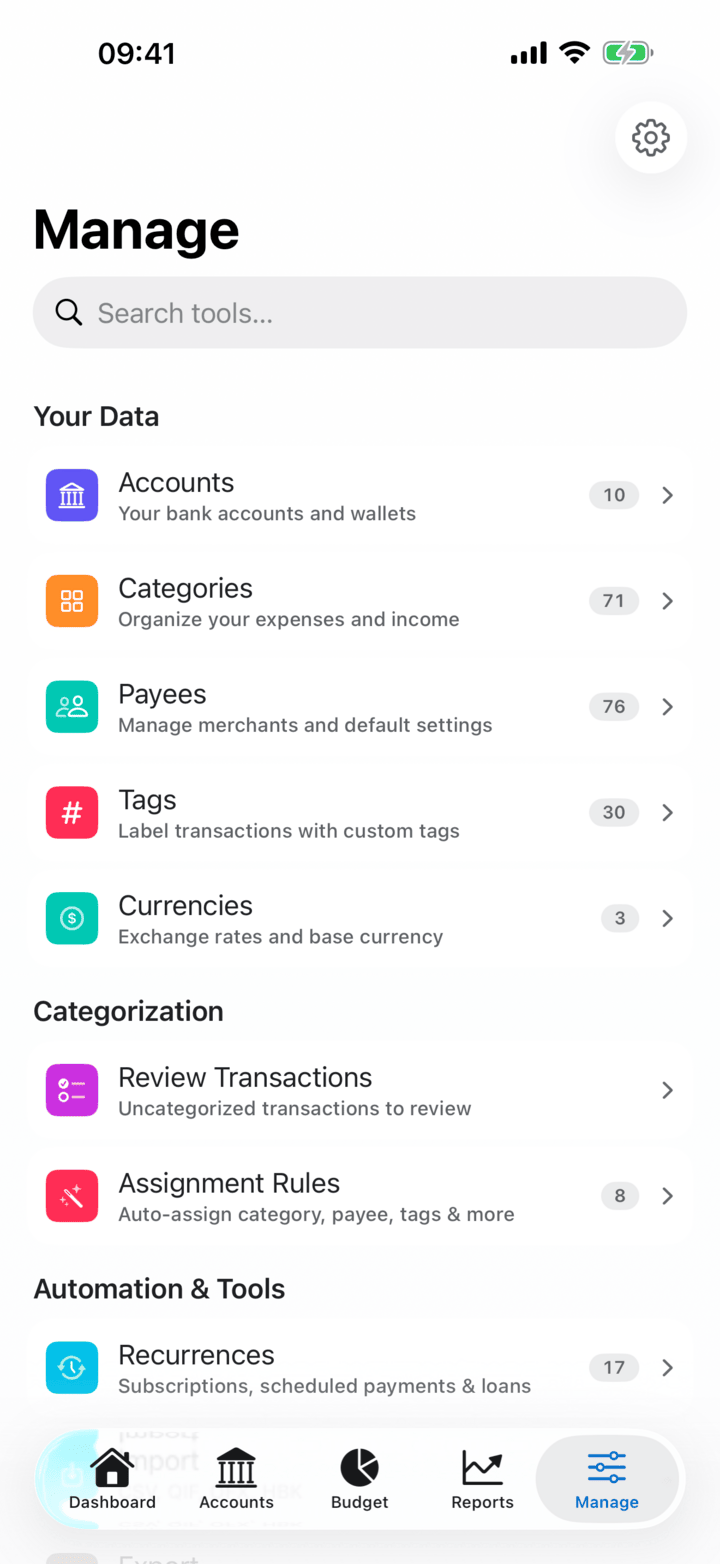
Smart rules that automatically categorize your transactions. Known merchants (Amazon, Netflix, Uber, Starbucks and 35+ more) show their brand glyph in transaction lists. The more you use HomeBank, the better it gets at organizing your finances.
Recurrences
Unified view of recurring expenses, income, and loan payments. Flexible frequencies with automatic pattern detection from your transaction history.
Multi-Currency
Full multi-currency support with automatic ECB exchange rate syncing. Transfer between accounts in different currencies seamlessly.
CloudKit Sync
Keep your data synchronized across all your Apple devices with iCloud. Your finances are always up to date, everywhere.
Bank Connection
Connect your bank accounts and import posted transactions automatically via Lunch Flow, a third-party open-banking aggregator you link yourself. Authorization happens on your device; manual sync; your financial data stays on your device. Premium. Requires a device with a Secure Enclave.
Widgets & Siri
11 Home Screen and Lock Screen widgets — balances, budgets, cash flow, net worth, spending trends, and more. Siri Shortcuts to add transactions or check your finances hands-free.
Loans & Amortization
Record loans as recurring payments and track balances as they go down — free. The full amortization report with early-payment savings is Premium.
Built different. Built better.
HomeBank isn't just another finance app. It's built from the ground up for Apple platforms, with attention to every detail.
Native SwiftUI
Not a web wrapper. Not a cross-platform compromise. Pure SwiftUI built specifically for iOS, iPadOS, and macOS — with platform-specific navigation, menus, and keyboard shortcuts.
Import & Export Formats
QIF, OFX/QFX, CSV, MT940, CAMT.053, HBK (HomeBank native — import & export) and XHB (legacy HomeBank Desktop — import only) — bring your data from any bank or finance app with automatic duplicate detection.
Free to Start
Core features are free forever. Optional Premium unlocks budget tracking (pace, alerts, rollover, auto-allocation), advanced reports, smart suggestions, crypto analytics, CloudKit Sync and Family Sharing. Your data stays yours — local-first, no data harvesting.
Automated Tests
Every domain rule, import pipeline, and calculation is backed by comprehensive test suites. Your financial data integrity is guaranteed by code, not promises.
See it in action
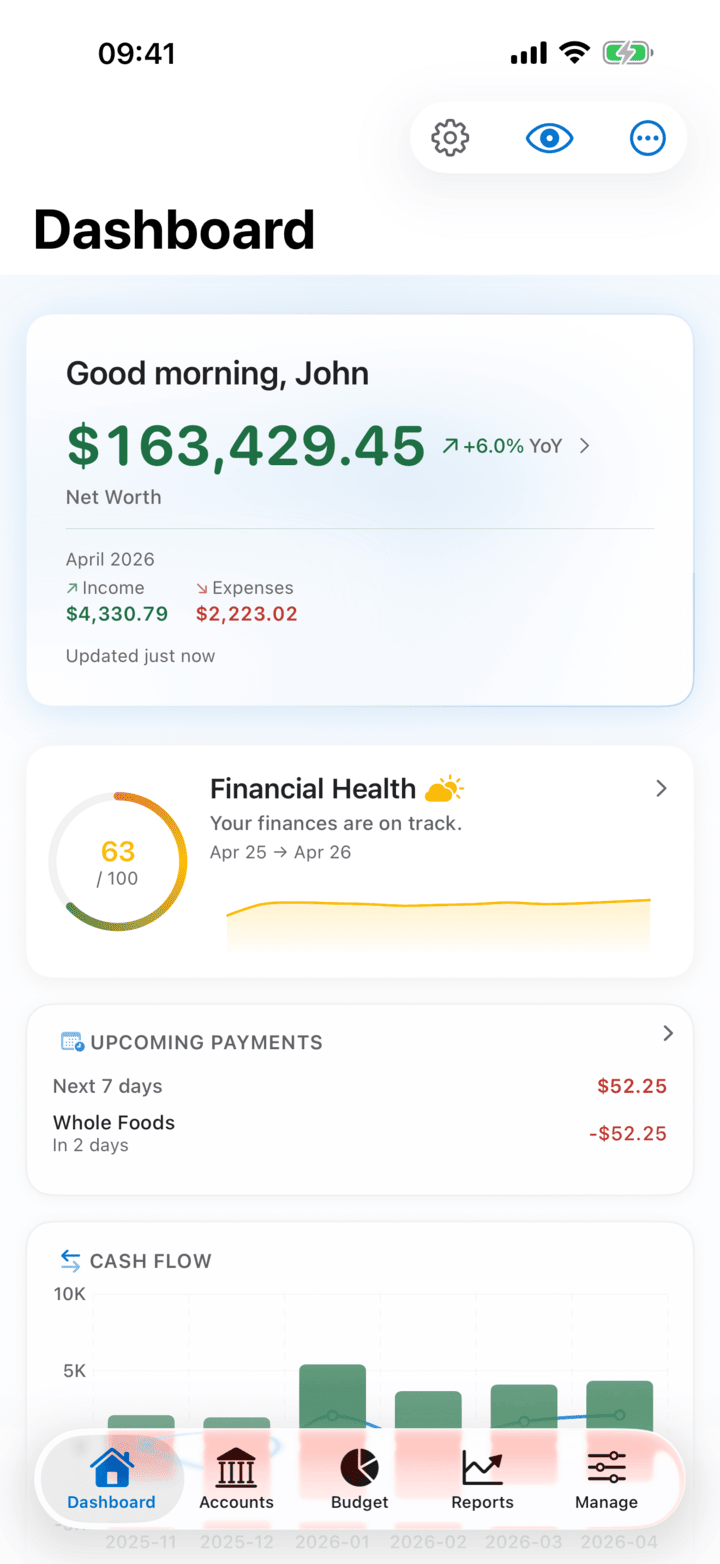
Real screenshots from the app. Native SwiftUI on every screen.
Import from anywhere
Bring your data from banks or other apps — we speak your format.
Frequently Asked Questions
Everything you need to know before getting started.
Request TestFlight Access
HomeBank is currently in beta. Enter your Apple ID email to request an invitation to our TestFlight.
Check your inbox — Apple will send your TestFlight invite within 5-15 minutes.